A live school in minutes. Not a six-month project.
No servers, no installation and no IT team. Choose a plan, verify your school, import your people and run the first live day on the same platform your teachers and parents will use.
10 min
typical setup
30 days
full free trial
₹0
to get started
1
live student record
Launch checklist
Your school, going live
Typical core setup is under 10 minutes once your student list is ready.
Every step has one job. Nothing is hidden.
This is the actual sequence, from choosing a plan to the first period marked on the teacher app.
Choose the plan that fits your school
Pick Novara Standard or Novara Pro, set your approximate enrolment and choose Monthly or Yearly billing. Yearly gives you the best rate, and every new school starts with a 30-day full-platform trial.
You need
Your student count and preferred billing cycle.
You get
A plan and trial window, with no card required.
Tell us about your school
Add the school name, city and the administrator who will own the account. There are no documents to upload and no verification queue before you can start.
You need
School name, location and admin contact details.
You get
Your isolated school workspace is created.
Verify your email
We send a one-time password to the email you entered. Enter it once and the admin console opens with the right permissions attached to your account.
You need
Access to the admin email inbox.
You get
A verified admin account with role-based access.
Import students and staff
Bring your existing list as CSV or Excel. Novara maps the columns, checks duplicates and missing fields, and shows you a preview before anything is written to your workspace.
You need
A student list and a staff list in CSV or Excel.
You get
Classes, sections, students, teachers and roles ready to use.
Configure the school day
Set up fee heads and instalments, subjects and classes, the timetable, academic terms and optional transport routes. Start with the essentials and add the rest whenever you are ready.
You need
Fee structure, subjects, classes and timetable.
You get
Attendance, fees, homework and the timetable go live.
Invite teachers, students and parents
Teachers get the Android workspace. Students and parents get one login for the school day. Send the invite, share the app link and your first live day can start immediately.
You need
Teacher and student/parent contact details.
You get
A connected school, live on web and app.
Ready to start the clock?
The trial starts when your workspace is created. No card, no commitment.
Not a demo. The real school.
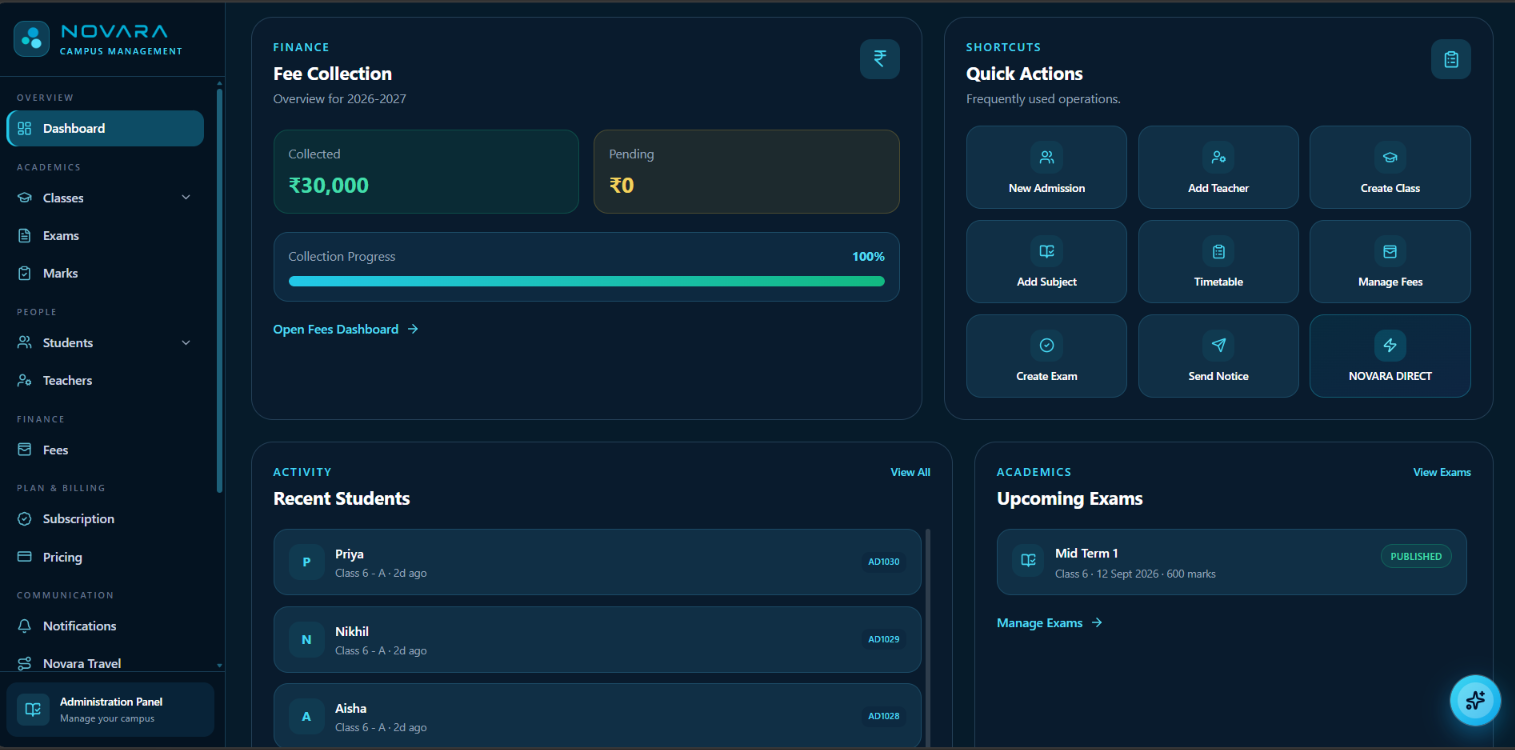
The moment setup is done, the same records are already connected across the admin console, the teacher app and the student app.
Admin console
Students, staff, fees, attendance, exams, timetables and analytics in one browser tab.
Teacher app
Class attendance, assignments, marks, study material, live classes and student messages.
Student & parent app
Timetable, homework, attendance, fees, results, notices, bus tracking and direct messages.
Attendance
Class or period attendance, parent alerts and a monthly calendar that stays current.
Fees & receipts
Fee heads, instalments, UPI checkout, receipts, pending balances and a clean ledger.
Live reporting
Enrolment, collection and academic views update as the school day moves.
Bring your data. We will handle the shape of it.
You do not need a perfect database to start. Export what you have from your current system and Novara will map it, check it and show you the result before anything goes live.
CSV and Excel import for students and staff
Column mapping with validation before import
Duplicate and missing-field checks
A preview of exactly what will be created
Guided migration for larger or messier data sets
Your original file stays untouched as a backup
Import review
Nothing is written yet
1,248
Rows read
1,244
Valid
4
Need attention
0
Duplicates
Illustration of the import review. Your source file is never modified.
A calm launch. Then a habit.
You do not have to switch on every module on day one. Start with the school day, then add the rest.
Day 0
Data in
Day 1
Configure
Week 1
Run live
Week 2
Review
What you need. What you do not.
A browser is enough for the admin console. Teachers and parents install the app when you invite them.
Good to have
Add when ready
You do not need
Before you start
The practical things school teams ask before the trial.
No. The 30-day trial gives you full platform access without a card or payment method. You only choose billing when you are ready to continue after the trial.
Most schools can complete the core setup in about 10 minutes. A clean student and staff list imports in 5-10 minutes; larger schools or messy data can take longer, and our team can help with the migration.
Yes. Start with the school you have today and add branches, users and modules as you grow. Each school remains an isolated workspace.
No. Export your current student and staff lists, and we will help map them into Novara. Your existing system can stay available while you verify the import.
No. Admins use the web console. Teachers use the Android app, and students and parents use the student Android app with a role-based view of the same school record.
You keep the same workspace and support channel. We help with adoption, permissions, fee setup and the next modules you want to switch on.
Human help, when you need it
Go live with someone in your corner.
Email, call or WhatsApp the Novara team. We help with imports, fee setup, permissions and the first week of live use.